
Tool sprawl is what happens when a software team’s work is spread across too many disconnected tools: tickets in one place, code in another, standups in a calendar, updates in chat and leave in a spreadsheet. Each tool is fine on its own. The cost is the context switching between them, and the decisions made on information that is out of date because nobody updated all five.
We ran into this ourselves. As our engineering team grew and started working across the UK and India, the question “what is actually happening this week?” needed four tabs to answer. This post covers what tool sprawl costs a software team, the fixes any team can make with the tools it already has, and why we eventually built our own workspace to bring the pieces together.
What does tool sprawl look like in a software team?
A typical day for a developer on a sprawling stack looks something like this:
- Pick up a ticket in the project tracker.
- Switch to the terminal or Git host to create a branch, and copy the ticket key into the branch name by hand.
- Open a pull request in the Git host, then post in chat to ask for a reviewer.
- Check a separate spreadsheet or HR tool to see whether that reviewer is on leave.
- Go back to the tracker to move the ticket, if anyone remembers.
- Join the daily standup from a calendar invite and describe work that the tracker may not reflect.
None of these steps is hard. Together, they mean the same piece of work is described in four places, and they drift apart. The tracker says “in progress” when the pull request was merged yesterday. The sprint plan assumes someone who is on holiday. The standup becomes a status meeting because nobody trusts the board.
What does context switching cost developers?
Programming depends on holding a lot of detail in your head at once: the code path, the edge cases, the change you were halfway through. Every switch to another tool to update a status, find a link or check a calendar interrupts that, and getting back into the problem takes time.
The quieter costs are often bigger than the switching itself:
- Stale information. When updating the tracker is a separate chore, it happens late or not at all. Plans are then made on a picture of the work that is days old.
- Invisible work. Reviews, fixes and investigations that never got a ticket don’t show up anywhere, so the people doing them look less busy than they are.
- Availability surprises. A release is planned for a day when the only person who knows that service is on leave, or the other office has a public holiday.
- Status meetings. When the tools can’t answer “where are we?”, people have to, and the daily standup stretches to fill the gap.
How do you audit your team’s tools?
Before adding or removing anything, list what you use and what each tool is the source of truth for. A simple table is enough:
| Question the team asks | Where the answer lives today | Where it should live |
|---|---|---|
| What is everyone working on? | Tracker, chat, standup notes | The tracker, linked to the code |
| Is this change in review or merged? | Git host | Git host, visible from the ticket |
| Who can review this week? | Chat, leave spreadsheet | One calendar that includes leave |
| When is the next standup, and what was agreed? | Calendar, chat, someone’s notes | The calendar, with notes attached |
| Who is off, and which holidays apply? | Spreadsheet, HR tool, memory | One leave calendar for every country |
Look for two warning signs: a question with more than one “today” answer, and a tool that is only kept because one person likes it. Those are the places to consolidate or connect.
What can you fix without changing tools?
Most teams can cut a lot of switching with habits and the integrations they already have:
- Put the ticket key in every branch name and commit message. Most trackers can then link code to tickets automatically, so the ticket shows its own progress.
- Let the Git host move the ticket. Opening a pull request can move a ticket to review, and merging can close it. Fewer manual updates means fewer stale boards.
- Request reviewers in the Git host, not in chat. The request stays attached to the change, and reviewers get one queue to work through.
- Keep the daily standup short and forward-looking. If the board is accurate, the standup can focus on blockers and handovers instead of reading out status. Attach notes and decisions to the calendar event so they aren’t lost in chat.
- Put leave and public holidays in the team calendar. Everyone should be able to see who is off before committing to a date. For a UK and India team, that means UK bank holidays and Indian public holidays side by side.
- Route notifications to one channel per team. Several bots posting the same event into different places trains people to ignore all of them.
If you distribute work across countries, for example through an Employer of Record in India, the leave calendar matters even more. Holidays rarely line up, and a normal working day in London can be a public holiday in India.
When does it make sense to bring the tools together?
Connecting tools only goes so far. At some point the integrations themselves become something to maintain, and the answers to everyday questions still sit in different places. It is worth looking at a single workspace when:
- the same three questions (what, where in review, who is available) need three tools every day
- leave and holidays for several countries are tracked in a spreadsheet
- non-technical colleagues can’t follow engineering work without asking a developer
- managers ask for timesheets because they can’t see work any other way
Consolidating is not free. People have to move, habits have to change, and a new tool has to be trusted before the old ones can go. Move one workflow at a time, and keep the Git host as the source of truth for code.
Why we built WorkSpace for our own team
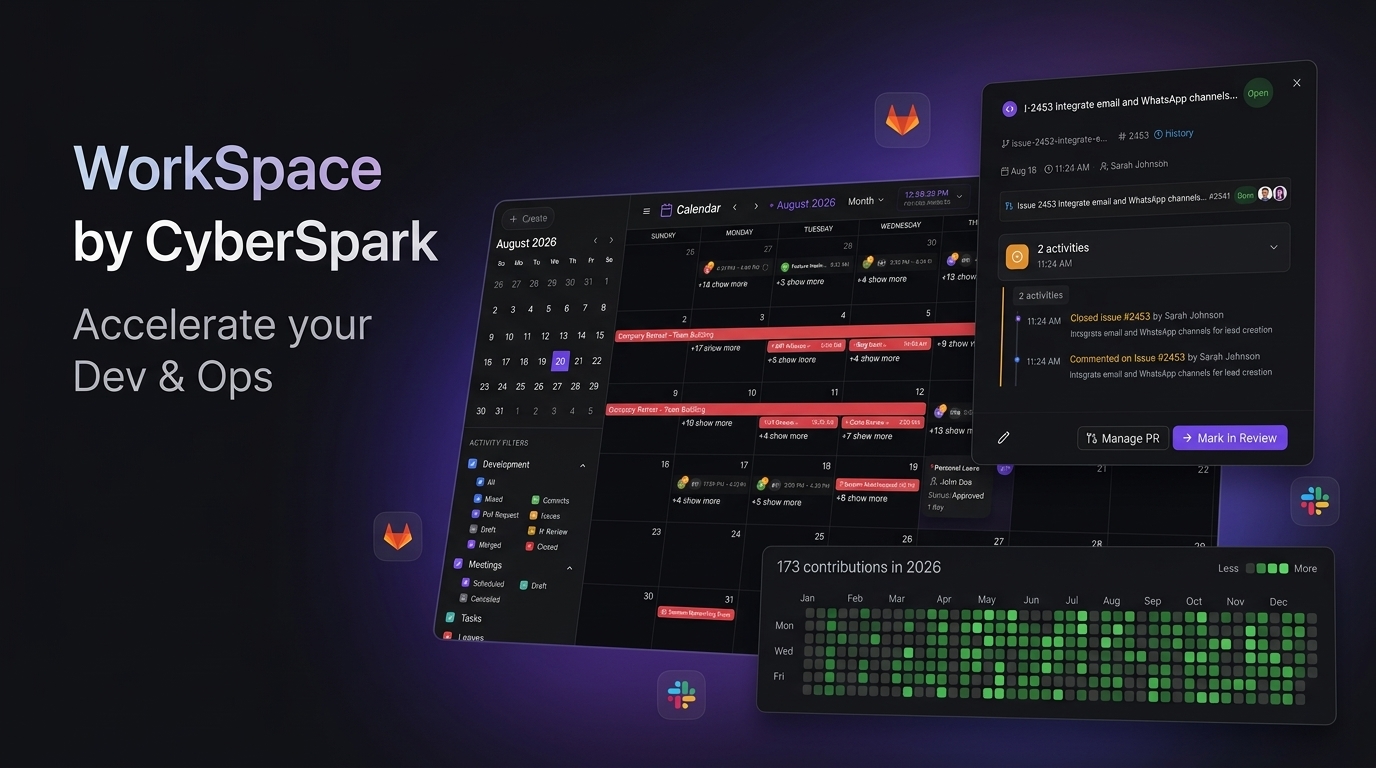
We reached that point ourselves, so we built WorkSpace to bring our team’s day into one place. It is the tool we use to run our own engineering work, and it is shaped by the problems described above:
- Git work inside tickets. Developers can search connected GitHub or GitLab repositories, create a branch, open a pull request, request reviewers and create or close issues from the task card. The card shows the pull request’s build checks and review status, so nobody has to go looking.
- Work sessions from real activity. Commits and pull request events arrive through webhooks and appear as work sessions on the team calendar, with contribution graphs for leads. That gives visibility without asking developers to fill in timesheets.
- Standups on a shared calendar. Google Calendar and Google Meet sync keeps standups, agendas and action items attached to the work they relate to.
- Leave and holidays for more than one country. Sick, annual and casual leave balances are tracked automatically, including proration, with public holiday calendars for countries including the UK and India, and an availability view that warns before plans collide.
- Notifications where the team already is, through Telegram or Slack.
- Roles and self-hosting. Access is controlled by role (super admin, admin, lead and developer), and you can run it on your own infrastructure, which keeps code metadata and leave records in one place you control.
It is not the right answer for every team. If your tracker, Git host and calendar already work well together, the fixes in the previous section may be all you need. But if your team’s week is spread across four tools and a spreadsheet, as ours was, bringing it together makes a real difference to how much of the day goes on actual engineering.
Where to start
- Fill in the audit table above with your team.
- Pick the one question that takes the most tools to answer, and fix that first.
- Adopt the ticket-key and reviewer habits; they cost nothing.
- Put leave and every relevant country’s holidays into one shared calendar.
- Review again in a month, and only then decide whether you need a new tool.
If you’d like to see how we run our own team in one place, take a look at WorkSpace, or get in touch and we’ll walk you through it.
Frequently asked questions
What is tool sprawl?
Tool sprawl is when a team collects more software tools than it needs, often with overlapping jobs, so information about the same piece of work ends up spread across several places. In software teams it usually shows up as tickets, code, meetings and leave all living in separate tools that don't talk to each other.
How does context switching affect developers?
Programming needs long stretches of focus. Every switch to another tool, to update a ticket, find a pull request or check who is off, breaks that focus and takes time to recover from. The bigger cost is often not the switch itself but the decisions made on stale or incomplete information.
Should we replace all our tools with one platform?
Not necessarily. Start by removing duplicate tools and connecting the ones you keep, so each piece of information has one home. Consolidating makes sense when the same questions keep needing three tools to answer, such as what someone is working on, whether it is in review, and whether they are in next week.
How do distributed UK and India teams handle holidays and leave?
Keep one shared calendar that shows UK bank holidays, Indian public holidays and everyone's approved leave, and check it when planning sprints and releases. Holidays in the two countries rarely line up, so a date that is a normal working day in one office may be a holiday in the other.